Can it run Doom? Part 3: a USB keyboard
By the end of part 2, Doom was running on a bare-metal Raspberry Pi 2B and drawing to the screen, but all it could do was play its own demos. To play, it needs a keyboard.
On a PC in 1993 that meant a keyboard controller that raised an interrupt with a scancode. A Raspberry Pi has no keyboard port, just USB. Reading a USB keyboard means being a USB host: powering the bus, finding out what’s plugged in, configuring it, and asking it for data, all of which an operating system normally does for you.
The USB host
Section titled “The USB host”The Pi 2B’s USB ports hang off a Synopsys DesignWare controller (DWC2),
through the board’s on-board USB hub. rpi-hal has a host driver for it
in usb::dwc2, and
on top of that, a HID boot keyboard in
usb::hid::keyboard.
Bring-up is four steps:
// The USB block is powered off until the firmware is asked.usb::power_on(mailbox);
let dwc2 = DWC2.init(Dwc2Host::init(global, host, pwrclk, timer));
// The on-board hub is soldered on; give it a moment to appear.while !dwc2.port_connected() && timer.now_micros() < deadline {    timer.delay_ms(100);}
// Walk the bus, through the hub, and keep the first keyboard.usb::enumerate(dwc2, timer, |channel, timer, device| {    match Keyboard::from_device(channel, timer, device) {        Ok(Some(keyboard)) => {            found = Some(keyboard);            ControlFlow::Break(())        }        _ => ControlFlow::Continue(()),    }})?;
The bus is walked once, at boot. That keeps things simple, at the cost of hotplug: the keyboard has to be plugged in before power-on. Without one, the game runs anyway and plays its demos.
The boot protocol
Section titled “The boot protocol”A full USB HID keyboard describes its own report format in a report descriptor, which you’re expected to parse. Keyboards also support a simpler fixed format, the boot protocol, meant for PC BIOSes that can’t parse descriptors. That’s all a game needs, so that’s what’s used.
A boot report is 8 bytes:
| Byte | Contents |
|---|---|
| 0 | Modifier bits: left and right Ctrl, Shift, Alt and GUI |
| 1 | Reserved |
| 2–7 | Up to six keys currently held, as HID usage codes |
The report says which keys are down, not what changed. rpi-hal’s
Keyboard compares each report with the previous one and turns the
difference into press and release events.
Modifiers need the same treatment by hand. They arrive as bits in byte 0, not in the key list, so they never show up as press events. The input code keeps the last report’s modifier byte and compares:
let modifiers = events.report().modifiers;for (was, is, code) in [ (self.modifiers.ctrl(), modifiers.ctrl(), KEY_RCTRL), (self.modifiers.shift(), modifiers.shift(), KEY_RSHIFT), (self.modifiers.alt(), modifiers.alt(), KEY_RALT),] { if was != is { self.push(is, code); }}self.modifiers = modifiers;Polling
Section titled “Polling”Doom calls DG_GetKey once per tic, 35 times a second, repeating until
it returns “no more keys”. The implementation hands out the events from
the last report first. Once they’re gone, it asks the keyboard for a new
report, but at most every 10 ms, the interval a boot keyboard’s
interrupt endpoint typically asks for. Polling faster than that upsets
the controller’s scheduling of periodic transfers.
Translating keys
Section titled “Translating keys”Each HID usage code maps to one of the codes in doomgeneric’s
doomkeys.h. Letters become lowercase ASCII, which is what the menus’
y/n prompts and the cheat codes expect. Typing iddqd works:
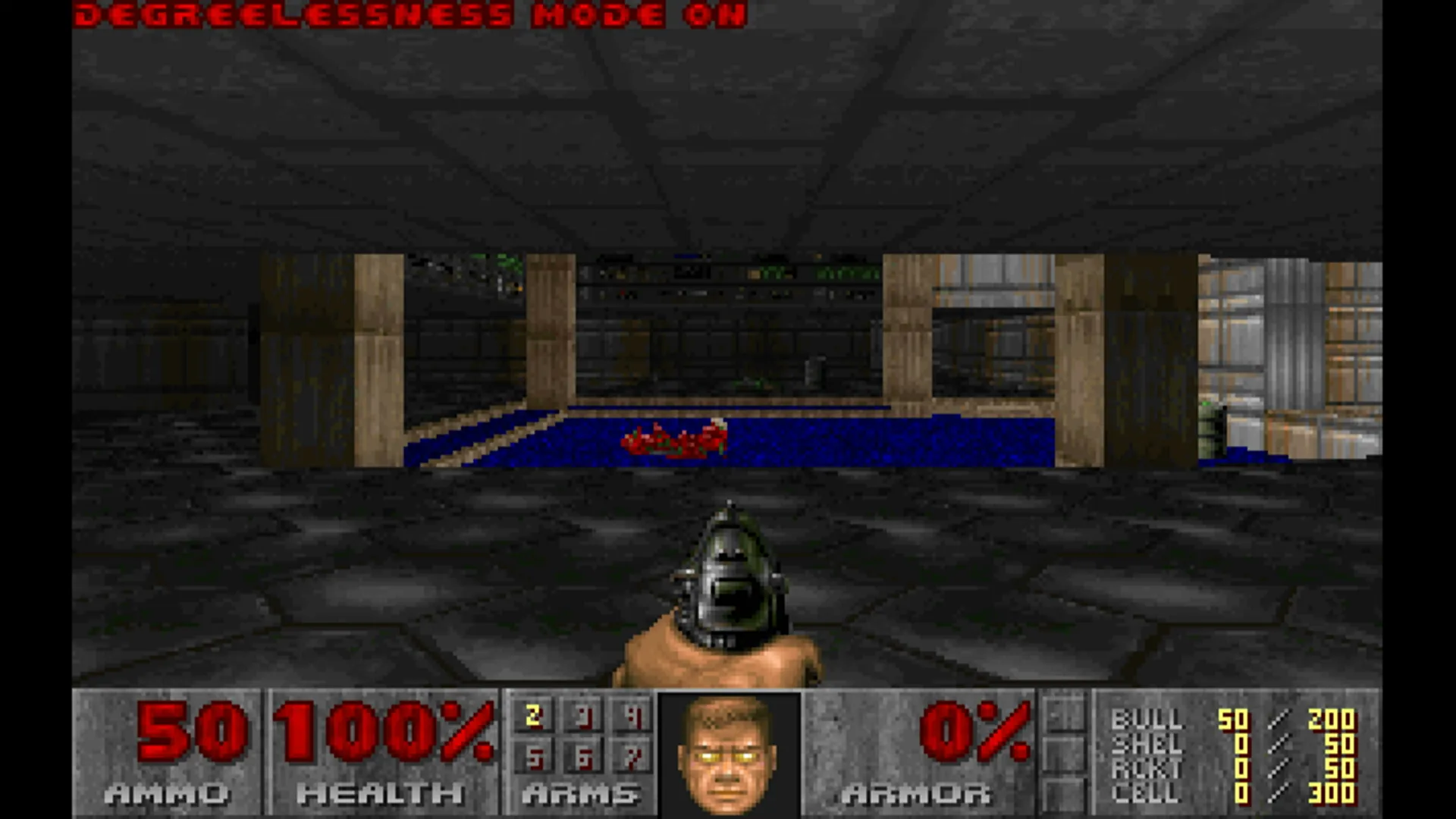
The first version followed doomgeneric’s SDL port for the rest, and that turned out to be a mistake.
The bindings that disappeared
Section titled “The bindings that disappeared”The SDL port doesn’t always send keys. For some, it sends actions:
Ctrl arrives as KEY_FIRE, Space as KEY_USE, comma and period as
KEY_STRAFE_L and KEY_STRAFE_R. Out of the box that plays fine.
Then you quit the game. Quitting saves the config to default.cfg, and
Doom stores key bindings the way DOS Doom did, as DOS keyboard
scancodes: key_fire 29 means the key with scancode 29, which is
Ctrl. The engine converts each binding to a scancode through a table,
and KEY_FIRE and its friends have no scancode, because they’re not
keys. They were written out raw, as 160 to 163.
On the next boot, loading the config converted those numbers back
through the same table, found nothing, and bound them to 0. After one
Quit Game, fire, use and both strafes were unbound. It also meant those
controls could never be rebound by editing the file, and a
DEFAULT.CFG from a real DOS install didn’t work.
The fix is to send keys, never actions. Ctrl is KEY_RCTRL, Space is
' ', comma is ',', and what each one does is up to the bindings.
The engine’s defaults are back to vanilla Doom’s (key_fire is Ctrl,
key_use is Space), so out of the box nothing changes, but now every
binding survives a save and load. The keyboard map now also covers
everything that table can round-trip: punctuation, Insert, Delete, Home,
End, Page Up and Down, the lock keys and the keypad. Num Lock is the one
key left out, because it has no scancode to save.
Rebinding
Section titled “Rebinding”Like the original, there’s no key-binding menu. Rebinding means editing
doom/default.cfg on the card. Each key_* line takes a DOS scancode,
so for WASD:
key_up 17key_down 31key_strafeleft 30key_straferight 32That’s a step backwards in convenience, but it’s faithful: a
DEFAULT.CFG from a real DOS install now works as-is.
Doom runs, draws and plays. It’s still silent. Part 4 adds sound effects and music, on a core of their own.